Choosing NFC Security Keys for Mobile and Desktop Authentication
NFC security keys are a practical choice for organizations that need phishing-resistant authentication on both phones and computers, but NFC alone does not guarantee a workable deployment. The strongest candidate is the key that supports the authentication methods your applications actually accept, connects to the devices people use, and fits your enrollment and recovery processes.
For most mixed-device environments, that means evaluating NFC alongside a suitable USB connector. It also means testing the complete sign-in journey: a successful tap on a phone says little about whether the same user can enroll the key, access a legacy application, or recover an account after losing it.
Start with the authentication flow, not the hardware
A security key is only one part of an authentication system. The application or identity provider must support a compatible protocol, the browser or operating system must expose the necessary functionality, and organizational policy must allow the credential to be registered and used.
For phishing-resistant web sign-in, look for support for FIDO authentication, including the WebAuthn flows offered by the relevant service. In these flows, the key creates or uses a cryptographic credential tied to the legitimate relying party. That relationship helps prevent a user from presenting the same credential to a convincing lookalike site.
Do not assume that every feature advertised on a key provides the same protection. A device may also generate one-time passwords or support smart-card functions. Those features can be useful for particular systems, but an ordinary one-time password can still be captured and relayed by a phishing site. Evaluate each authentication method against the threat it is intended to address.
Build an inventory of the identity provider and the applications users must reach, including administrative consoles, virtual desktop gateways, VPNs, and business applications. Single sign-on can reduce the number of integrations to evaluate, but it does not automatically cover applications that authenticate separately or use older sign-in flows.
Check mobile and desktop compatibility as separate questions
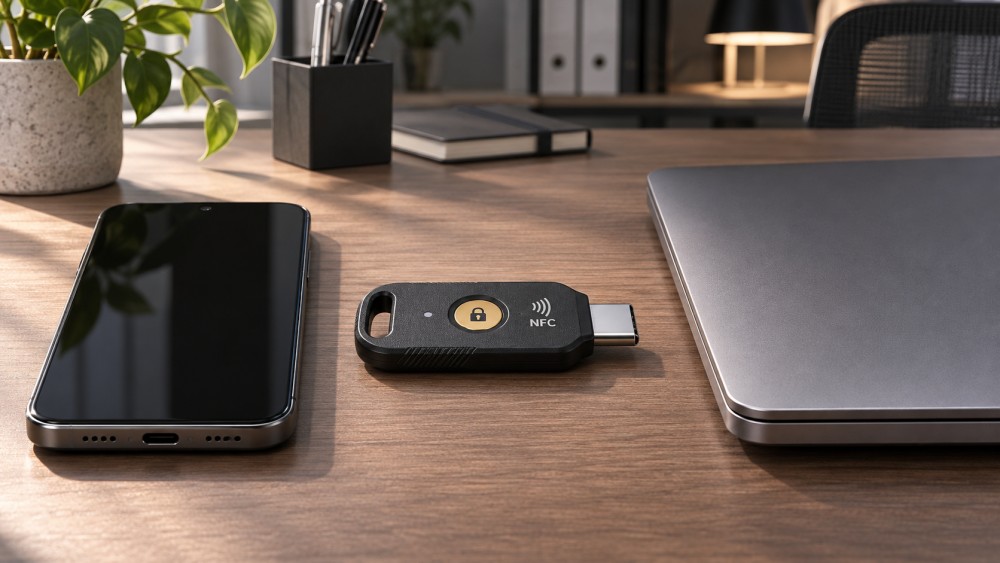
NFC provides a convenient tap-based connection on compatible mobile devices. Desktop users, however, may not have an NFC reader, and a computer with a reader does not necessarily support the required security-key flow through the chosen operating system and browser. USB is often the more predictable desktop path.
Choose the physical connector according to the devices in scope. A USB-C key may fit current laptops and some phones, while USB-A can be useful for older computers, docking stations, or shared workstations. Adapters may fill gaps, but they introduce another item to carry and another connection to test. A key that combines NFC with the appropriate USB interface can reduce dependence on adapters without making every device or application compatible.
Test native mobile apps separately from browser-based sign-in. An application may use a system browser, embed its own authentication view, or rely on an identity provider’s app; those choices can change the experience. Include device management restrictions and the versions used in production in the test record.
Remote access deserves particular attention. A key can work perfectly on the local computer yet be unavailable inside a virtual desktop session. Determine whether authentication happens before the remote session starts or whether the credential must be passed through to an application within it. The latter may depend on support and configuration across several components.
Decide what the key must protect
Not every account needs the same authentication policy. For administrators, a hardware-backed credential may be part of a broader requirement for phishing-resistant sign-in and tightly controlled recovery. For general employees, the decision may also depend on the devices they carry, the frequency of authentication, accessibility, and support capacity.
Confirm whether the service treats a hardware security key as an allowed passkey authenticator and whether policy can distinguish it from other passkey options when that distinction matters. A passkey describes a FIDO credential, not necessarily a particular device: depending on the authenticator and service, it may be stored on a security key or managed by a device platform. Hardware possession requirements should therefore be expressed in policy and tested, not inferred from the word “passkey.”
Also distinguish a physical touch from user verification. A touch generally demonstrates user presence; a PIN or supported biometric check may be used for user verification, depending on the authenticator and the application’s requirements. Check how the chosen flow behaves when verification is required and how users can set or reset a key PIN. A PIN is not interchangeable with the account password, and a key reset can have consequences for credentials stored on it.
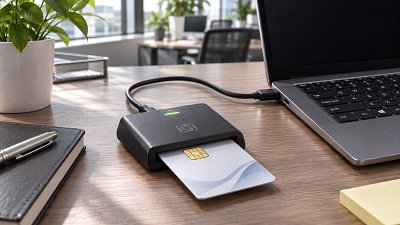
For environments that require smart cards, certificate-based authentication, or other non-FIDO functions, assess those requirements separately. Support for NFC and FIDO does not establish that a key can replace an existing smart card, work with a certificate authority, or meet the organization’s certificate lifecycle requirements.
Enrollment and recovery can determine whether deployment succeeds
Before purchasing at scale, establish how a person receives a key, proves their identity, registers it, and begins using it. Remote workers, contractors, and new hires may not have access to the same onboarding channels as employees in an office. A process that assumes an already authenticated device may fail for someone starting without one.
A common design is to register a primary key and a separate backup key. The backup should be enrolled before it is needed and stored according to the organization’s risk and availability requirements. Two keys kept on the same keyring provide limited protection against a single loss event.
Recovery is part of the security control, not merely a help-desk procedure. If an attacker can bypass a phishing-resistant key through a weak recovery channel, the account may still be compromised. Define who can authorize recovery, what evidence of identity is required, how temporary access is constrained, and how lost credentials are revoked. Test the process for both ordinary users and privileged administrators.
Consider what happens when a user leaves, changes roles, replaces a phone, or reports a stolen key. Administrators need a way to identify and remove the affected credential without unnecessarily disrupting other registered authenticators. They also need an inventory and replacement process that does not depend on knowing secret key material.
Compare operational requirements before comparing prices
The purchase price of a key is only one part of deployment cost. Include spare devices, shipping, enrollment support, replacement handling, identity-provider licensing where applicable, integration work, and ongoing help-desk effort. A lower-cost model can become expensive if its connector does not match the laptop fleet or its required authentication flow creates repeated support cases.
Ask suppliers for documentation that maps the proposed model to your required protocols, interfaces, management capabilities, and any relevant certification or procurement requirements. A certification claim should identify the specific product and scope being assessed; it does not by itself prove that your application integration or recovery process works.
Physical design matters as well. A compact key left in a laptop may suit a fixed workstation but can be awkward for repeated NFC use or vulnerable to damage when a device is moved. A key carried separately may be easier to tap and less likely to be left behind in a shared computer, but it can also be forgotten. Check how the key attaches to a badge or keyring, whether users can operate it with gloves or accessibility accommodations, and whether its size obstructs adjacent ports.
Capacity can also matter. Some credentials need space on the authenticator, while others use different storage arrangements. An organization registering keys across multiple services should test its intended mix and understand what happens when capacity is reached. Do not assume that the number of applications equals the number of credentials in every deployment; the identity architecture and the services involved affect that relationship.
Run a pilot against the paths that matter
A useful pilot is a controlled evaluation of the actual environment, not just a demonstration that a key can authenticate to one website. Select representative users and devices, include both routine and exceptional workflows, and document the configuration used for each result.
- Register credentials: Enroll a primary and backup key through the intended onboarding process. Record prerequisites, prompts, and any administrator intervention.
- Sign in across the device matrix: Test the required browser, native app, operating system, connector, dock, and mobile NFC combinations. Include managed-device policies.
- Exercise protected workflows: Access critical applications, privileged functions, and remote sessions. Confirm which authentication method was actually used and whether policy enforced it.
- Test failure and recovery: Simulate a lost key, an unavailable backup, a forgotten key PIN, and a user who cannot access their usual device. Check revocation and restoration of access.
- Measure operational effort: Record completion rates, support requests, resolution steps, and time spent within the pilot’s defined scope. Separate usability problems from unsupported integrations.
Set acceptance criteria before the pilot begins. For example, specify which applications must support phishing-resistant authentication, which device combinations are mandatory, and which recovery steps require independent approval. A candidate that works well for web-based single sign-on may still be unsuitable if a critical administrative tool requires a different method and no acceptable compensating control exists.
Use the results to make a conditional purchasing decision. Standardize on a connector and authentication profile where the environment permits, while allowing a documented alternative for legitimate device or accessibility needs. The outcome should be a supported authentication process that staff can enroll in, use, and recover from, not simply a list of keys that can communicate over NFC.
Want to dive deeper into these market dynamics, or need data-driven support for your next business move? Drop a line below and let the analysts at CyberTrade provide customized insights.
Related News
 Identity AccessIs Cloud-Hosted RADIUS a Good Fit for Multicloud Enterprises?Posted on Nov 18, 2026Is a cloud-hosted RADIUS server a good fit for a multicloud enterprise? Explore integration, security, resilience, and costs before you decide.
 Identity AccessHow to Test RADIUS Failover Across Cloud RegionsPosted on Nov 18, 2026How do we test RADIUS failover across cloud regions? Follow a practical guide to verify recovery, secure access, audit logs, and failback.
 Identity AccessHow to Choose a Certificate Authority for Multicloud WorkloadsPosted on Nov 18, 2026How do we choose a certificate authority for workloads across multiple clouds? Explore key criteria, compare CA options, and plan a production-ready pilot.
 Multi-CloudHow to Verify CASB Visibility Across Multiple CloudsPosted on Nov 18, 2026How can we verify a CASB's visibility across multiple clouds? Learn to test coverage, trace events, uncover blind spots, and build a reliable assessment.
 Cloud SecurityHow to Test WAF Attack Blocking Without Disrupting Legitimate TrafficPosted on Nov 18, 2026How do we test whether a WAF blocks attacks without disrupting legitimate traffic? Explore safe simulations, false-positive checks, and staged enforcement.
 Identity AccessCan Smart Cards Work With Cloud Apps Without Replacing Your IdP?Posted on Nov 18, 2026Can smart cards work with cloud applications without replacing our identity system? Discover the integration requirements, security benefits, and pilot checks.
 Prices & CostsHow to Compare Cloud HSM Total Costs Across ProvidersPosted on Nov 18, 2026How do we compare the total cost of cloud HSMs across providers? Discover the hidden charges, key assumptions, and practical steps for a fair comparison.
 Multi-CloudHow to Verify Consistent API Gateway Authentication Across CloudsPosted on Nov 18, 2026Verify API gateway authentication across clouds with practical tests for tokens, routes, bypass risks, and policy enforcement. Explore the guide.
 Cloud SecurityDo You Need a Next-Generation Firewall in Every Cloud?Posted on Nov 18, 2026Do we need a next-generation firewall in every cloud environment? Explore traffic risks, cloud-native controls, costs and deployment options.
 Threat ResponseHow to Tell If a Cloud IDS Is Missing TrafficPosted on Nov 18, 2026How can we tell whether an IDS is missing traffic in a cloud environment? Compare flow evidence, test sensor visibility, and uncover hidden coverage gaps.
 Identity AccessHow to check if a certificate authority is trustedPosted on Nov 18, 2026Certificate Authorities aren't trusted equally everywhere. Learn how to check certificate chains, trust stores, and revocation before choosing a CA.
 Cloud SecurityCan cloud access security brokers detect shadow IT?Posted on Nov 18, 2026Cloud Access Security Brokers can uncover shadow IT—but visibility has limits. Discover how CASBs detect cloud apps, expose blind spots, and guide a practical response.